What is the GIMP?
"GIMP is the GNU Image Manipulation Program. It is a freely distributed piece of software for such tasks as photo retouching, image composition and image authoring. It works on many operating systems (Mac, Unix/Linux, Windows), in many languages."
Useful Plug-ins for the GIMP
The following scripts may be particularly useful for touching up digital photographs:
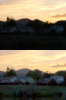
- Blue Sky Gradient
- To fix burned out or white skies by adding a blue sky gradient (using a threshold mask).
- Blue Sky & Clouds
- To fix burned out or white skies by adding a blue sky gradient and clouds (using a threshold mask).
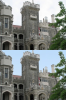
- Purple Fringe
- To minimize purple fringe or the effects of chromatic aberration.
- Contrast Fix
- To add an adjustment layer to improve the contrast of a photo that is too dark or too bright/burned out.
- Saturation Fix
- Adds a saturation mask that can be used to fix photos with saturation problems like burned out colour channels.
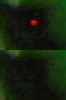
- Hot Dot
- To fix photos from a digital camera with a "Hot Dot"
Other scripts can be used to create artistic renditions of your photos:
- Amazing Circles
- Uses the Amazing Circle technique to apply polar distortion to a photo or selection and create a circle. This script makes it easy to adjust the size and border options.
What You Should Know BEFORE Using These Scripts
Useful GIMP Knowledge
Most of these scripts will do what you expect using the default values and without needing a lot of prior knowledge. Some basics will be helpful for more advanced work and to achieve customizations and more exacting results. In particular:
- working with layers - adding adjustment layers lets you test out and build on effects without altering your original photograph
- feathering
- understanding masks, particularly layer masks
How to Add Extensions to the GIMP - Plug-ins & Scripts
There are many extensions available for the GIMP to do repetitive editing tasks (like macros or batch processing) or to carry out a more complex series of
image manipulations. The plugin registry is located here: http://registry.gimp.org/
Plugins and scripts for the GIMP can be written in a number of languages: Script-Fu (Scheme), C, Python and Perl. When you download add-ons, plugins need to be placed in the plugins
folder, and scripts in the scripts folder. Scripts are the easiest to work with, since they do not need to be compiled, and you can read them to see what they do.
More caution needs to be taken with plugins, because they are executable programs.
The scripts detailed on this website are simple to use -- They are Script-Fu files, will work with GIMP 2.4, and end in the extension .scm. To install one of these scripts:
- download and place in your scripts folder - ([Toolbox] –> –> to check folder name)
e.g., in Windows: C:\Documents and Settings\JOE\.gimp-2.4\scripts, Linux: ~/.gimp2.4/scripts
- Refresh your script-fu scripts - [Toolbox] –>
- Access the script from the menus - If you can't find the script in the menus, check the documentation for the individual script, or just open up the .scm file with a text editor and check near the bottom of the file to see how it is registered in the menus.

Additional Tips & Information
If you require more basic information and tutorials, see the Tutorials page for more information.
Other recommended Scripts: